



















Master Chess Unblocked
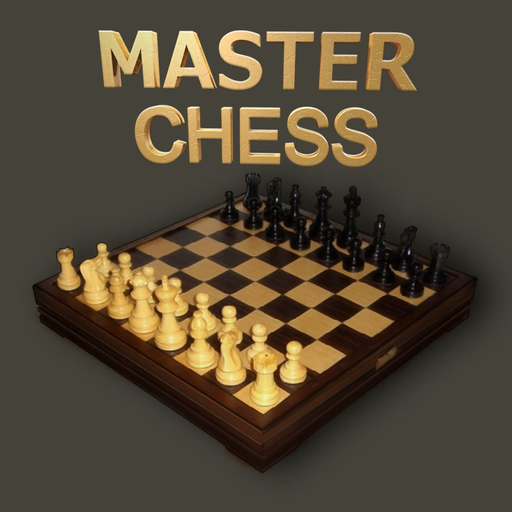
Master Chess is a complete game of chess in the browser, played on a wooden board with a full set of rules and no account, download or sign-up between you and the first move. Pick a side, pick an opponent, and play.
From the menu you choose one of two modes. Playing against the computer puts you opposite a decision-tree engine with three strengths, easy, medium and hard, and a THINKING banner that shows when it is searching for a reply. Playing against another person hands the board to two people on the same screen, taking turns, which is the mode that works on a school Chromebook with a friend next to you.
Every real chess rule is in the build, not just the basic moves. Castling on either side, en passant, and pawn promotion are all handled, and when a pawn reaches the far rank the game stops and asks which piece you want to promote it into. Check is called out on screen, and the game ends properly on checkmate, stalemate or a draw rather than just running out of pieces.
The board does a lot of the reading for you. Tap a piece and its legal destinations light up, threatened squares are marked, and the king is flagged when it is under attack, so a beginner can follow what is legal without knowing notation. A move history panel tracks the game, and a restart button with an are-you-sure prompt means you do not lose a long game to a stray tap.
Because it is a turn-based board game rather than an action game, it is one of the lightest things on the site to run. There is no physics engine, no 3D scene and no network round trip between moves, so it stays smooth on slow hardware and behind school filters where heavier games stutter.
How to play Master Chess?
Choose your mode first, either versus the computer or versus another player on the same device, and if you picked the computer choose easy, medium or hard. Then click or tap a piece to select it. The squares it can legally move to are highlighted, so click one of those to move. Take your opponent pieces by moving onto them, and keep your own king off the marked threat squares. Win by delivering checkmate, a check the other king cannot escape.
Controls
Mouse or touch only, there is no keyboard input. Click or tap a piece to select it, then click or tap a highlighted square to move it there. On-screen buttons handle sound, settings, restart, fullscreen and returning to the menu.
Play Master Chess unblocked in your browser
Master Chess runs entirely in the browser with nothing to install and no launcher, so it loads on school Chromebooks and other locked-down networks where store apps and desktop chess programs are not an option.
Similar games on Speghetti Edition
- 2048 is the other classic grid puzzle here, sliding numbered tiles instead of pieces.
- Brain Test is the same kind of slow thinking game, built out of lateral puzzles.
Who created Master Chess?
Master Chess was developed by Code This Lab, an Italian studio credited inside the game itself on the credits panel. It is an HTML5 build using CreateJS for rendering and Howler for audio, and this page hosts that build.
Can I play Master Chess on mobile and desktop?
Yes. The controls are pointer based, so the same build works with a mouse on desktop and Chromebook and with taps on phones and tablets, and the board scales to fit the screen either way.