











Rodeo Stampede Unblocked
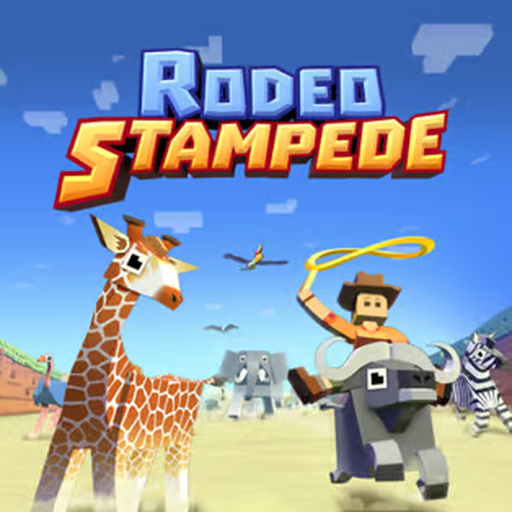
Rodeo Stampede drops you onto the back of a running animal and asks you to stay on. Hold to leap off your mount, steer in the air, and release to lasso whatever is running underneath. Each animal gets angry after a while and throws you, so the run is a rhythm of jumping to the next one before the current one turns.
Caught animals fill a Sky Zoo, a floating park where each species has an enclosure and visitors pay to see them. Zoo coins buy lasso and ride-time upgrades, hats and enclosure improvements, and daily missions and endangered-animal events give you specific catches to chase. This browser build is the savannah-and-jungle version: buffalo, zebra, elephant, giraffe, lion, ostrich, rhino, hippo and boar on the plains, alligator, gorilla, monkey, toucan, tiger, panda and a dragon in the jungle, each with rare costume variants. The mountain, tundra and later zones of the mobile game are not in it.
How to play Rodeo Stampede?
Jump before the animal starts bucking, not after; a jump from an angry mount still counts and a throw ends the run. Steer toward species you have not caught, since each new one opens an enclosure. Spend early coins on lasso range and ride time, which lengthen every future run.
Controls
Desktop: hold the left mouse button or the space bar to jump, move the mouse sideways to steer in the air, release to lasso. Touch screens: press, drag and release.
Rodeo Stampede unblocked
Rodeo Stampede runs right here in the browser with nothing to install, so it plays on school Chromebooks and other locked-down networks.
Similar games on Speghetti Edition
- Subway Surfers is the classic lane runner.
- Crossy Road has the same blocky look and hop-forward pace.
- Temple Run 2 is the runner with turns, ziplines and a monkey behind you.
Who created Rodeo Stampede?
Rodeo Stampede was created by Featherweight Games and published by Yodo1; this page hosts an HTML5 port with the first two zones.
Can I play Rodeo Stampede on mobile and desktop?
Yes. It was designed as a one-thumb phone game, and on desktop the mouse or the space bar covers it.